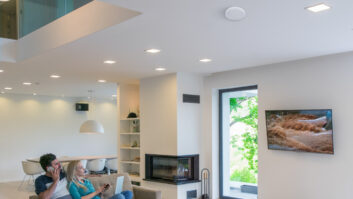
As Wi-Fi 7 products continue to enter the residential market, much of the conversation has centered on wireless speed, lower latency, and impressive theoretical throughput. For homeowners, the promise is simple: faster, more responsive connectivity that can support streaming, gaming, video calls, smart home control, security, entertainment, and a growing number of connected devices throughout the property — and now all at the same time.
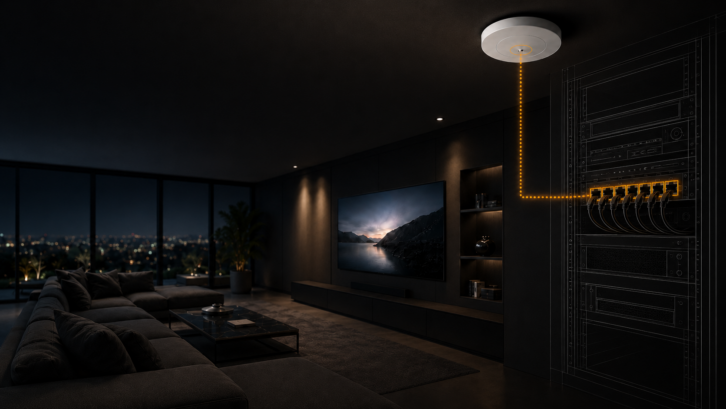
For systems integrators, however, the more important story is not simply what happens over the air, but what happens behind the access point.
Wi-Fi 6E and 7 Still Run on Wire
The enduring irony of Wi-Fi is that this wireless technology depends heavily on wired infrastructure. Every high-performance access point relies on the cabling, switches, uplinks, and power delivery behind it. As Wi-Fi 6E and Wi-Fi 7 increase wireless capacity, they also place greater pressure on the physical network supporting them. If that infrastructure is dated and underspecified, a wireless upgrade may never deliver the performance the client expects.
Also by James Chen: Robust and Reliable Cabling for Outdoor Systems
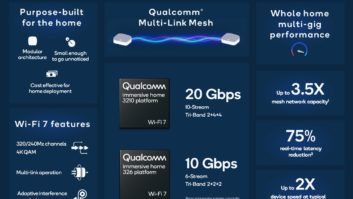
In many residential projects, the internet service provider is no longer the main potential bottleneck. Internal network traffic is becoming just as big of a hurdle. Multiple simultaneous users, streaming, gaming, cloud-based applications, surveillance cameras, and smart home systems all place a new level of demand on the local network. With Wi-Fi 7 access points capable of exceeding 1 Gbps of real-world aggregate throughput, a standard gigabit backhaul can quickly become a limiting factor.
Cable First, Access Points Second
This changes the Wi-Fi conversation dramatically. Cabling, switching, uplink capacity, and PoE budgeting must be considered, even before access points are specified. For new Wi-Fi 6E and Wi-Fi 7 installations, Cat6A is now generally the future-ready choice. It supports 10 Gbps up to 100 meters and provides greater performance margin for sustained PoE loads. Because the labor involved in installing cabling typically far outweighs the material cost difference between cable categories, specifying the right infrastructure at the outset can prevent costly rework later.
Existing homes require a more nuanced approach, as Cat6 can remain viable for Wi-Fi 6E and Wi-Fi 7 deployments when run lengths and installation conditions are within appropriate limits. While Cat6 may support 10 Gbps over shorter distances, performance depends on run length, installation quality, and the surrounding environment. Longer or unverified runs should be tested rather than assumed.
Cat5E, on the other hand, should generally be treated as a 1 Gbps backhaul in practical residential upgrade planning. Although limited multi-gig scenarios may be possible under certain conditions, legacy Cat5E varies widely in quality and installation integrity. For a Wi-Fi 7 upgrade intended to deliver meaningful performance gains, Cat5E should not be considered a reliable design basis.
Don’t Let Power Become the Weak Link
Power delivery is another area where Wi-Fi 7 can expose limits to a legacy network. Many higher-performance Wi-Fi 6E and Wi-Fi 7 access points require more power than previous generations; if they are underserved, connectivity problems can occur. As a preventative measure, integrators should verify the power requirements of each Wi-Fi 6E/7 access point, the maximum power per port of the network switch, and the total PoE budget needed for all connected devices.
Related: PoE++ in Residential AV
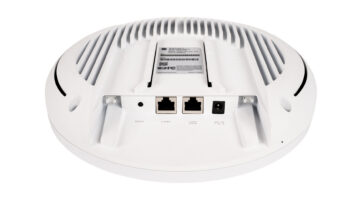
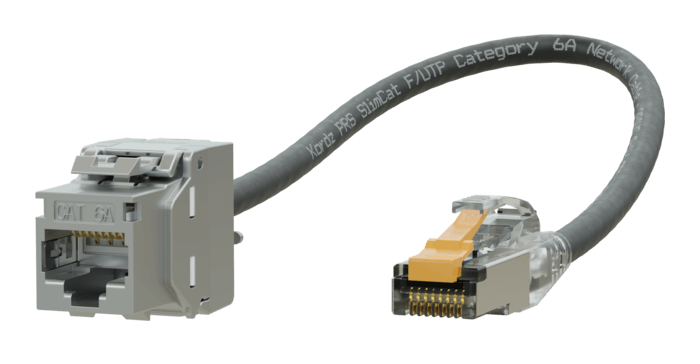
Installation realities will continue to need consideration. The ideal access point locations are not always the easiest places to run cable. Full-sized Cat6A cable can be difficult to manage in tight ceiling voids, compact AP housings, and areas with limited bend radius. Forcing large-diameter cable into confined spaces can stress connectors, complicate termination, and make future servicing more difficult. This is where cable construction becomes a practical design consideration, not just a minor detail. Slimmer cable, for example, can help integrators maintain multi-gig performance while easing installation around access points and in tight routing paths.
Connectivity Is Spreading to New Areas
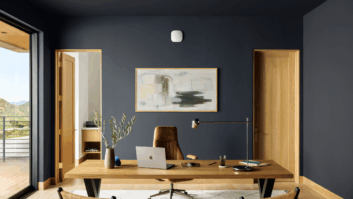
Further complicating network design is the growing connected footprint of modern residences. Detached guest houses, outdoor living areas, wellness spaces, home offices, and pool houses now rely on the same robust connectivity as the primary home. Delivering reliable performance across these environments requires more than a post-construction Wi-Fi upgrade. It calls for proactive planning of cabling pathways, equipment placement, switch locations, and uplink capacity during the design and construction phases, before structural limitations make network expansion more difficult and costly.
Ultimately, Wi-Fi 7 raises the stakes for residential network design. The access point may be the visible symbol of the upgrade, but the cabling and switching infrastructure behind it determine how well that wireless signals travel. By treating Wi-Fi as part of a broader network ecosystem rather than a standalone wireless technology, integrators can deliver the performance, reliability, and longevity that homeowners increasingly expect from today’s connected environments.
For a deeper technical breakdown of Wi-Fi 7 infrastructure design, including cable selection, PoE considerations, and performance trade-offs, Kordz provides a detailed guide to designing network infrastructure for modern AV environments, located in the Articles section of kordz.com.