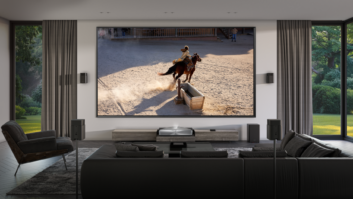
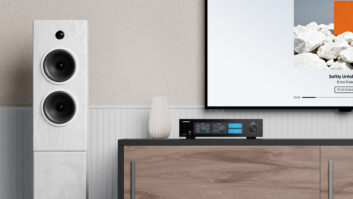
madVR has announced that its patent-pending Dynamic Subtitle Overlay (DSO) is now available in Envy Experimental firmware version 2.1. The company is offering a DSO Setup Guide to get started.
DSO doesn’t simply move subtitles; it fundamentally rethinks how subtitles should work in a premium home theater, making them easier to read while preserving the cinematic image and contrast you’ve worked so hard to create. Dynamic Subtitle Overlay is available exclusively on the madVR Envy.
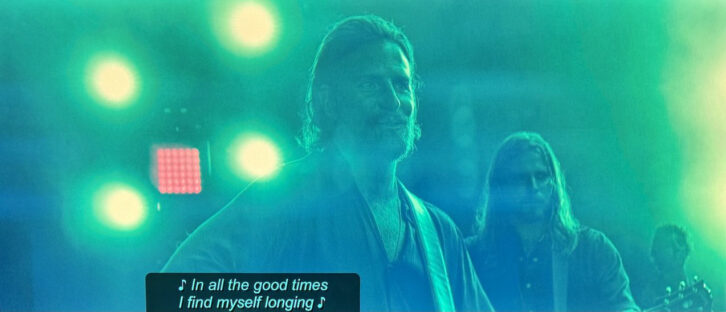
DSO solves three long-standing subtitle problems that home theater enthusiasts have simply learned to live with—until now.
- Subtitles Lost on Scope Screens: If you’re watching scope content on a scope screen, the black bars are off the edges of the screen entirely. Any subtitles placed there are cut off, spilling onto your wall, ceiling, or screen masking. DSO automatically detects this and seamlessly repositions subtitles into the active image, preserving the director’s intended framing while ensuring subtitles remain perfectly visible.
- Subtitles That Are Too Bright: Bright white subtitles in dark scenes don’t just cause eye strain. They flood your room with reflected light, reduce perceived contrast, and interfere with your display’s dynamic black system. DSO’s Adaptive Brightness continuously adjusts subtitle brightness based on the scene’s Average Picture Level (APL). Dark scenes receive subtler subtitles, while brighter scenes retain the brightness needed for excellent readability. The result is a room that stays dark when it should, a display that can perform at its best, and a far more enjoyable viewing experience.
- Subtitles That Are Too Large: Oversized subtitles cover more of the picture than necessary, obscuring the image and further reducing perceived contrast. DSO lets you reduce subtitle size in 5% increments, by up to 50%, allowing more of the image to remain visible while maintaining excellent readability.
Beyond solving those core problems, DSO includes a collection of intelligent features that help subtitles blend naturally into your content.
- Adaptive Color — DSO can automatically adjust subtitle colors to better complement the scene, such as warm golden tones during candlelit scenes or cool blues during underwater sequences, ensuring subtitles integrate harmoniously with the content and feel less intrusive.
- Adaptive Brightness — Automatic APL-based brightness adjustments reduce glare and eye strain while preserving perceived contrast in darker scenes.
- Adjustable Background Transparency — The subtitle background can be adjusted from fully opaque to nearly transparent, giving you complete control over the balance between readability and preserving the underlying image.
- Size Reduction — Reduce subtitle size in 5% increments by up to 50%, allowing more of the picture to remain visible.
- Placement — For 16:9 and intermediate aspect ratio screens (e.g., 2.0), choose between auto dimming and harmonious coloring of subtitles while leaving them in the black bar, or moving the subtitles into the movie image with full DSO features applied.
For more information, visit madvrenvy.com.